4. Operational due diligence management
In this article you will find how to set up, send an operational due diligence campaign and analyze the responses.
An operational due diligence campaign consists of a partner and a questionnaire template. It is recommended to start by create a questionnaire template in order to create an operational due diligence campaign from scratch.
Create a questionnaire template
From the QuartzGOV homepage, click on the button 'Operational' corresponding to your business unit insight the 'Due diligence' module:
- Business information security
- Compliance
- ESG group
- Natural resources
- Real estate
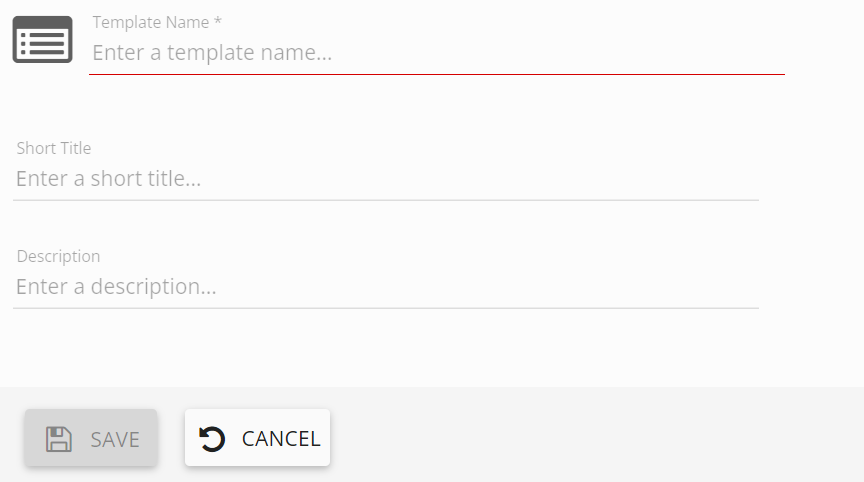
The operational due diligence menu will appear. From this menu, click on the 'questionnaire templates' button in order to display the questionnaire management menu. Then click on the 'create questionnaire' button. The questionnaire template creation screen will appear:
- Add a template name
- You can also add a short title and a description
Questionnaire template creation screen
Questionnaire sections
Click on 'add section' to create a section by adding a section number and title. You can also add a description.
Insight your section you can add page break, question and static text.
Question types insight a section

Add question
Click on the 'add question' in order to select the question you want to add and fill the fields to create your question.
You can repeat this operation as many times as you want add questions in your section.
Add page break
Click on 'add page break' button in order to add page break. The questions create after your page break will appear on the other page for respondents.
Add static text
Click on 'static text' button in order to add a static text. Static text allows to describe your questionnaire.
Manage questions
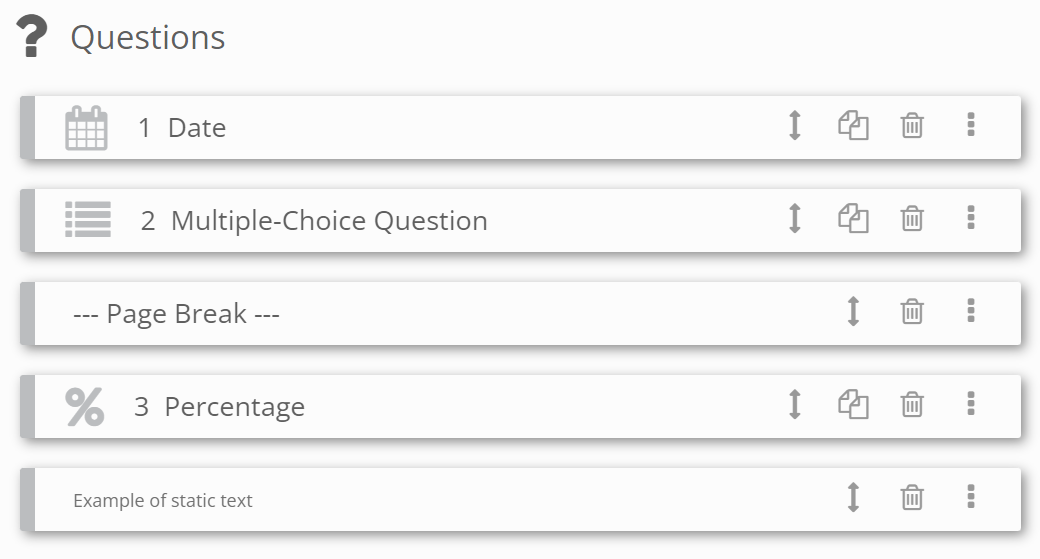
Click on the 'manage questions' button in order to display the questions management screen:
- You can duplicate a question
- You can delete a question
- You can use the drag and drop option to arrange the order
Questions management screen
Add conditional question
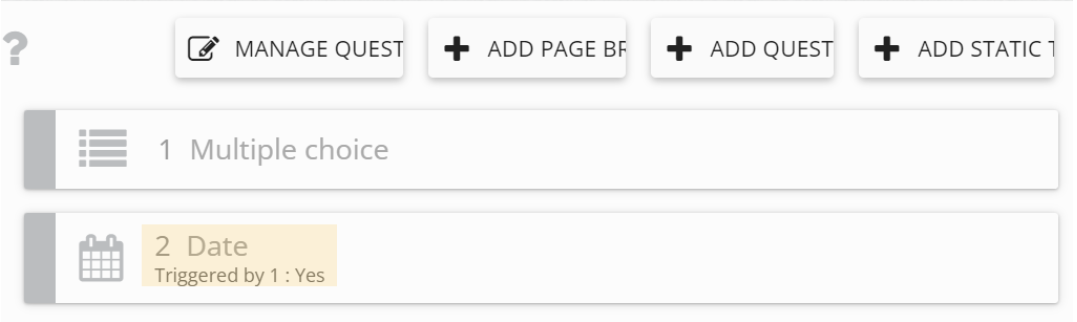
A conditional question is a question that appears depending on the respondent's answer at the related question. The question related to a conditional question must be a closed question. This closed question must be placed before the question you want to make conditional.
Click on the question you want to make conditional in order to open the question detailed view, then click on the 'add condition' button and select which question and modality will trigger your other question.
An example of a conditional question
Repeat these operations as many times as necessary.
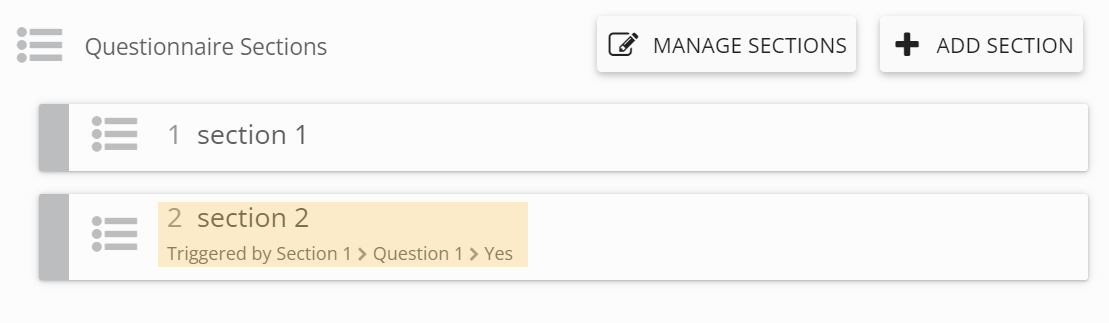
Add conditional section
As the same principle as the chapter 'Add conditional question', create a section that contains a closed question in order to be able to adding a condition for others sections. Then click on the 'add condition' button and select which question and modality will trigger your other section.
An example of a conditional section
Create an operational due diligence campaign
In order to create an operational due diligence campaign you have to create a partner and associate a campaign and a questionnaire template with it.
Add a partner
From the QuartzGOV homepage, click on the button 'Operational' corresponding to your business unit insight the 'Due diligence' module:
- Business information security
- Compliance
- ESG group
- Natural resources
- Real estate
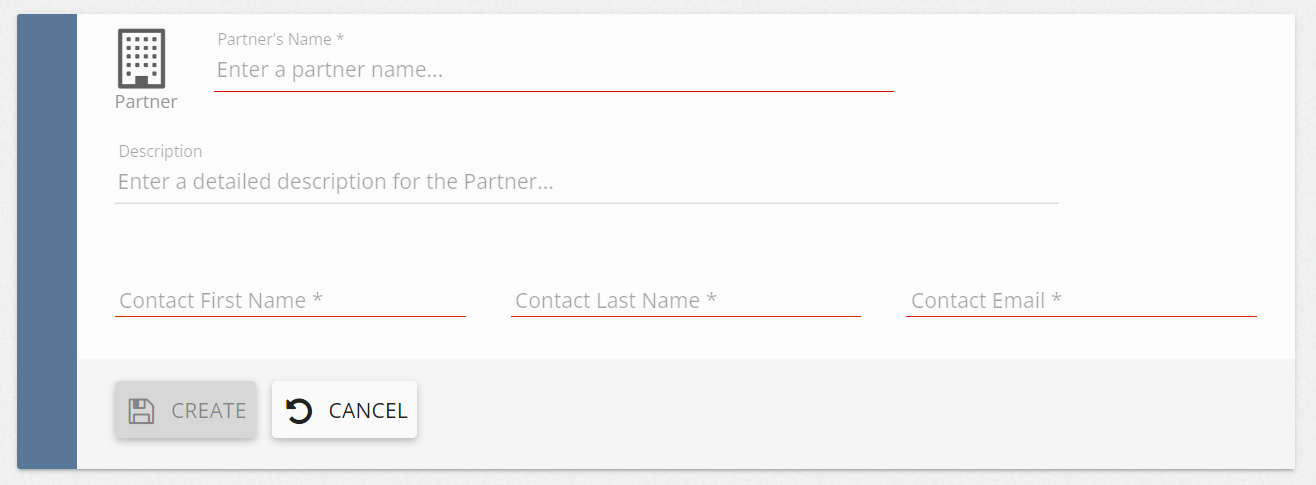
Then click on the 'Add partner' button from the operational due diligence main menu. The partner creation screen will appear:
- Add a partner's name
- Add a partner's description
- Add a contact fisrt and last name
- Add a contact email
- Click on the 'create' button
Partner creation screen
Add campaign
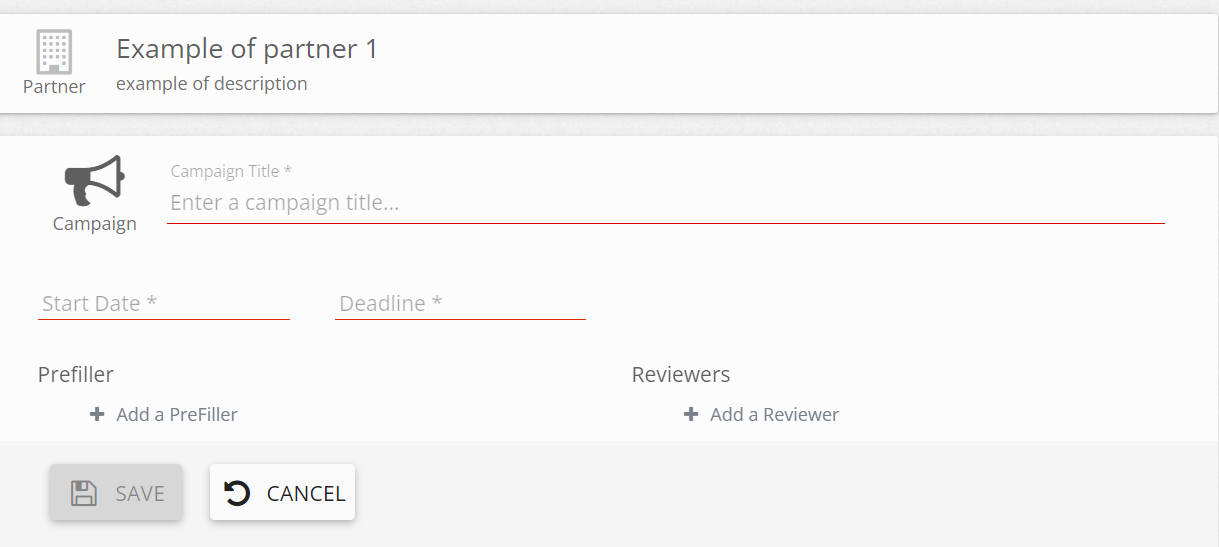
Then click on the 'create campaign' button. the campaign creation screen will appear :
- Add a campaign title
- Add a start date and a deadline
- You can add a prefiller
- You can add a reviewer. The reviewer will approve or reject the responses of the partner
Campaign creation screen
Add a questionnaire
Once the partner is create, the 'add questionnaire' button will appear. Click on it and choose the questionnaire you want to add.
Provide a campaign settings
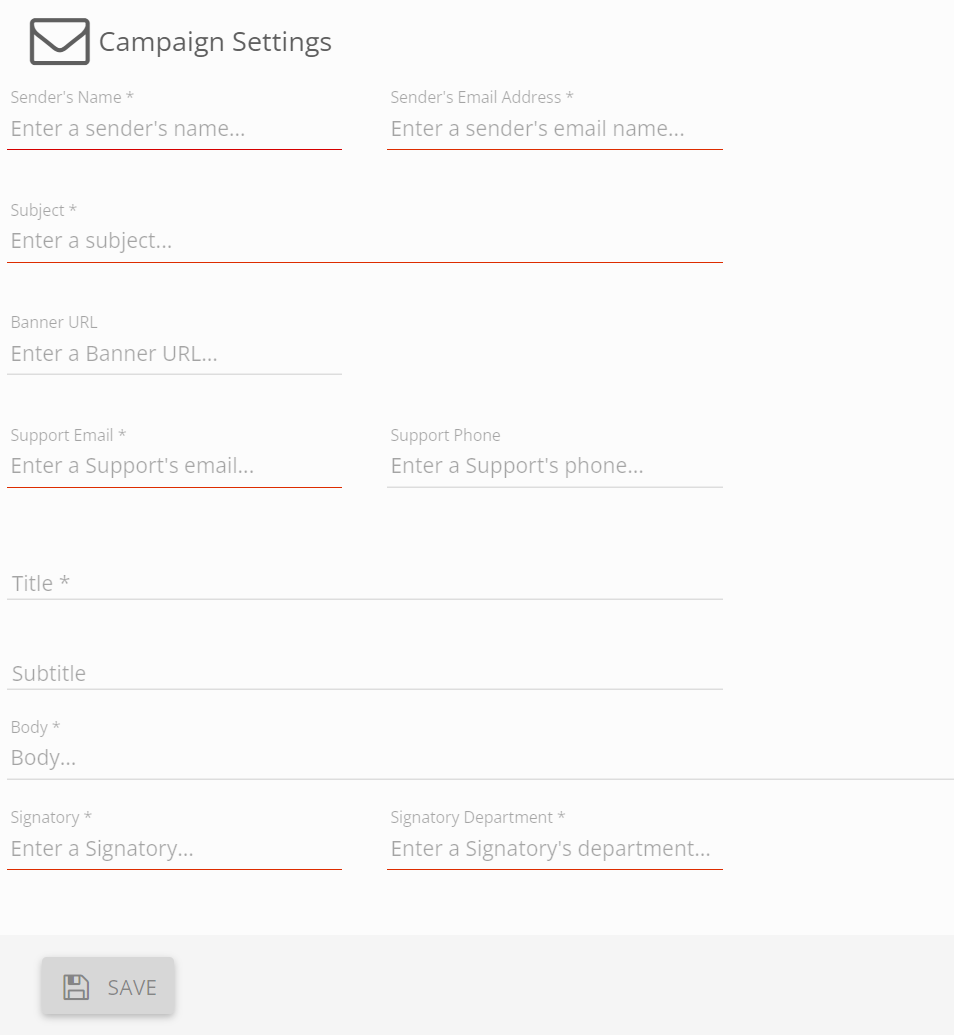
Click to the 'campaign settings' button in order to display the settings screen:
- Add sender's name and sender's email address
- Describe the subject
- Add support email
- Provide a title and a body
- Enter a signatory and signatory's department
You can also add :
- Banner URL
- Support phone
- Subtitle
Campaign settings screen
Create an observation
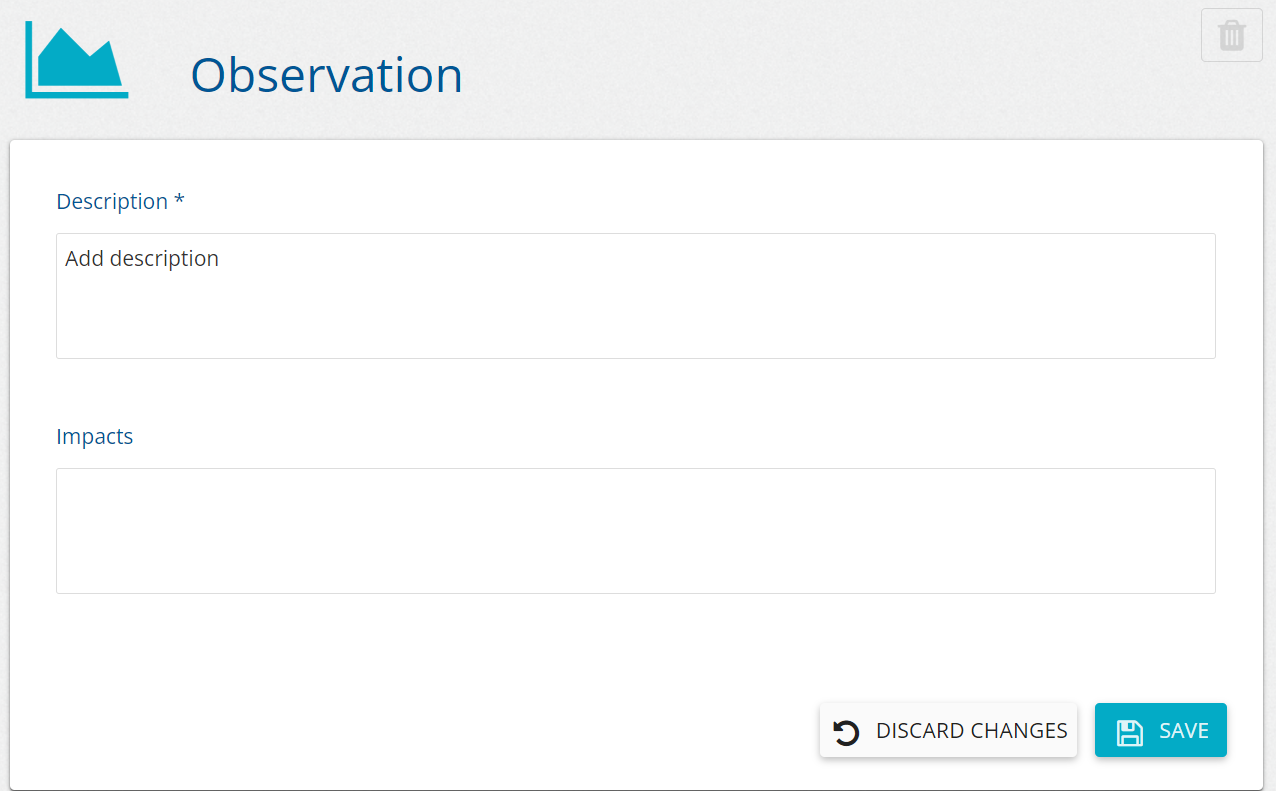
From a campaign detailed view, click on the 'add' button in the 'observations' field. The observation creation menu will appear:
- Adding a description to your observation is mandatory to create it.
- You can describe the impact on the 'impacts' field.
Observation creation screen
Manage an operational due diligence campaign
Once create, you can update and delete your operational due diligence campaign from the campaign detailed view.
Update a campaign information or questionnaire
From the campaign detailed view:
- Modify the field you want to update and click on save.
- Click on 'manage questionnaire' to update the questionnaire.
- Click on 'add questionnaire' to add questionnaire.
Delete a campaign
From the campaign detailed view, click on the 'delete' button.
Publish an operational due diligence campaign
From the campaign detailed view, click on the 'publish' button. The partner will receive an invitation email to respond to the campaign.
Manage operational due diligence campaign's responses
Responses must be approved by a reviewer on the external platform before to be accessible on the campaign detailed view.
Review a partner response
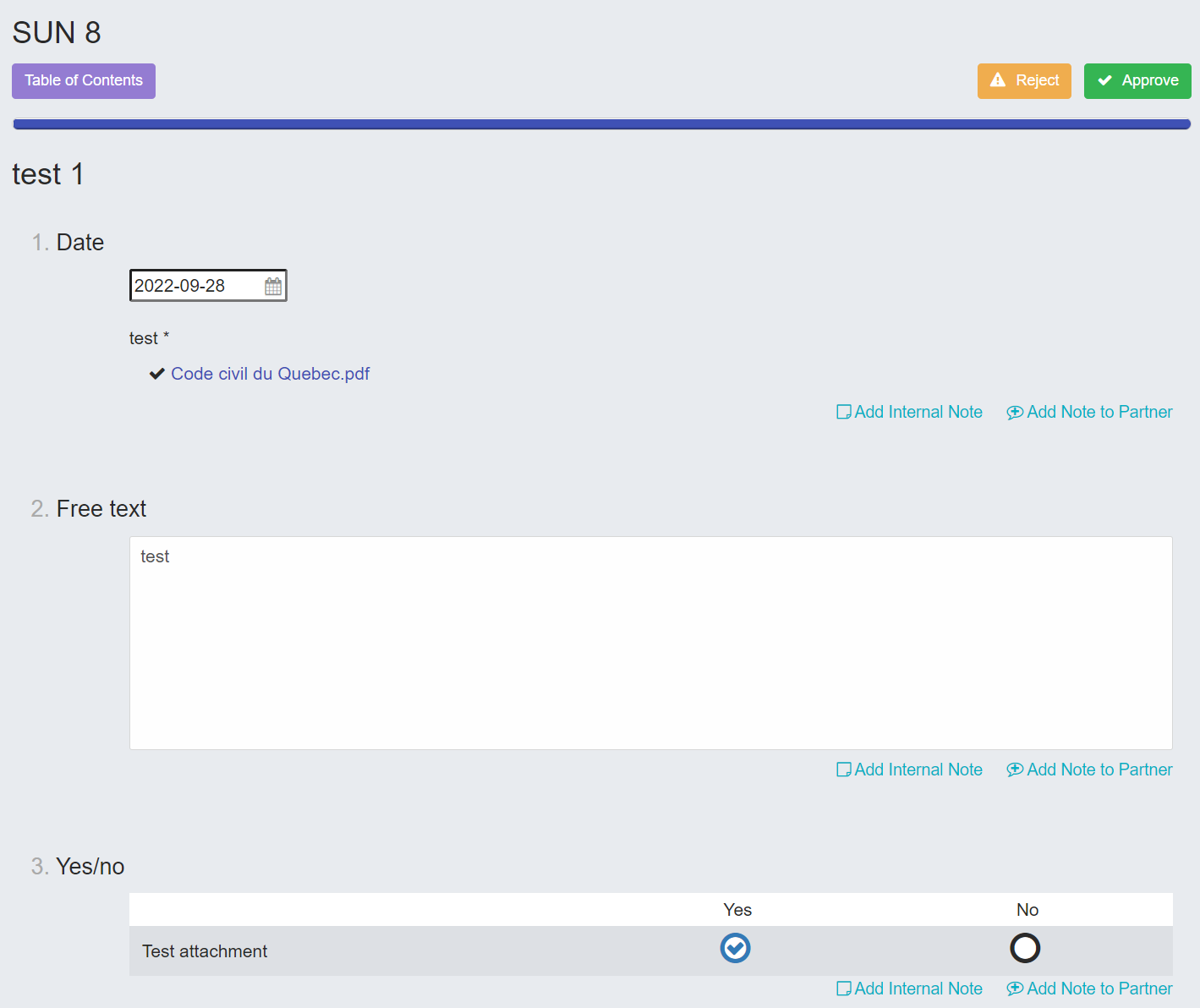
From the extranet platform main menu, click on the operational due diligence campaign you want to manage insight the 'Due diligence questionnaire' section in order to open the detailed screen. From the detailed view you can:
- Add an internal note under the questions by clicking on the 'add internal note' button.
- Add note to partner uner the questions by clicking on the 'add note to partner' button.
- Reject the questionnaire by clicking on the 'reject' button.
- Approve the questionnaire by clicking on the 'approve' button.
Operational due diligence campaign review detailed screen
The 'request sign off' button will appear, click on it to approve the request. You can cancel your request sign-off.
Request sign off button

The partner will receive a notification with a button in order to finalize the campaign. If the questionnaire is rejected, the partner receives a message to modify it.
View campaign responses
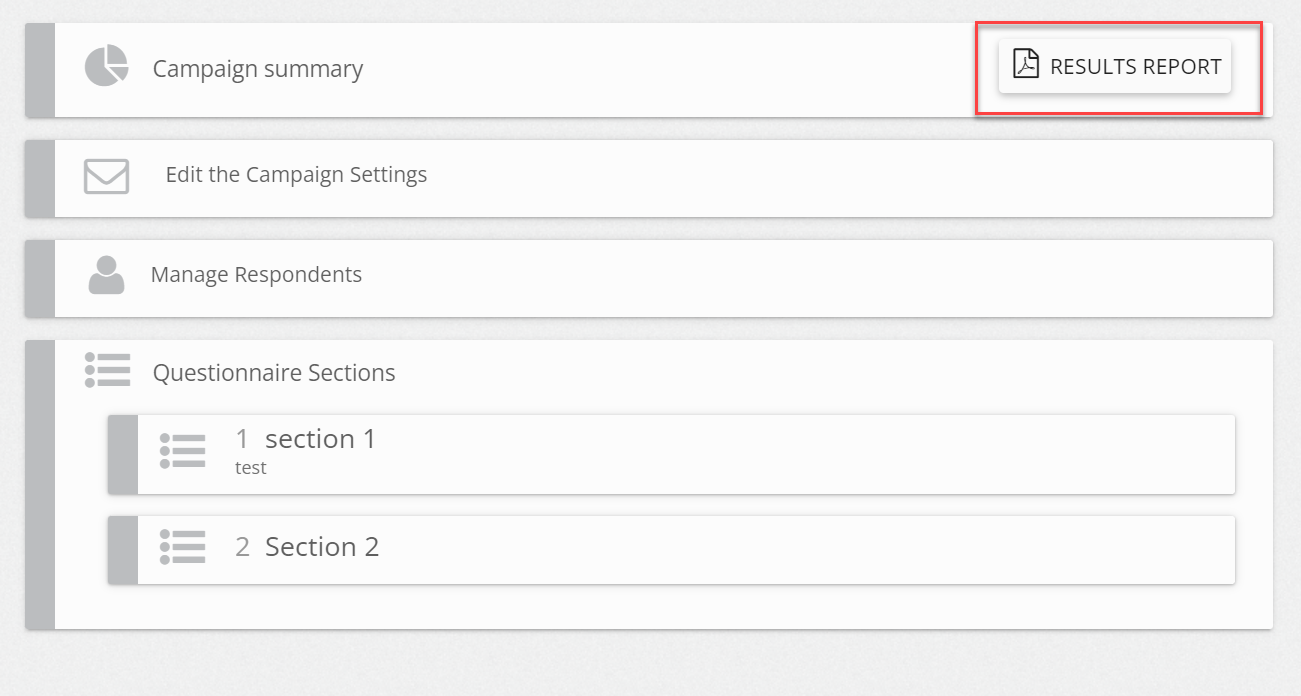
From an operational due diligence detailed view, click on the 'results report' button to download the report.
*An operational due diligence campaign detailed view *