2. Provide and read background check documents
In this article you will find how to login to the external platform to provide documents for background check.
Access to the external platform
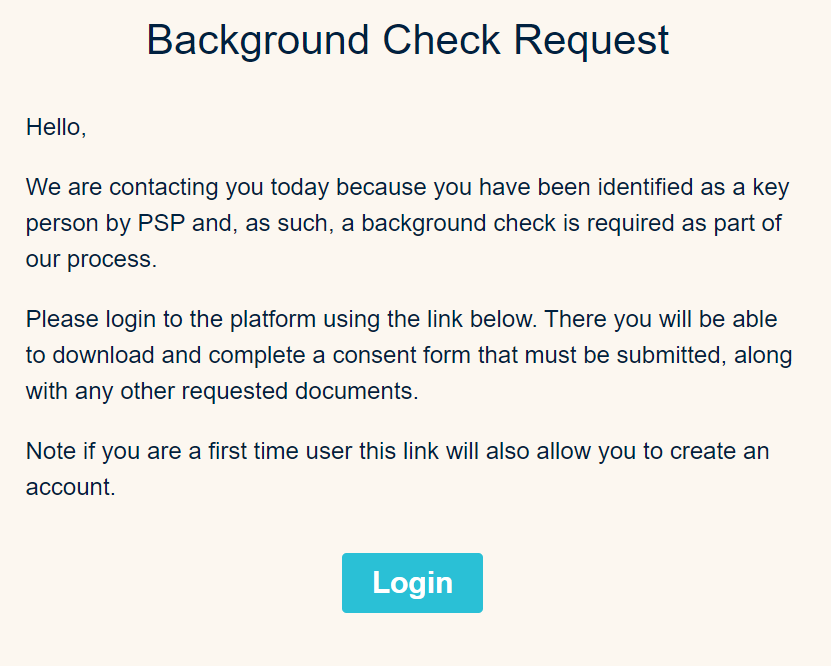
From your email address, open the invitation email and click on the link.
Example of an email invitation for a candidate
Login to the external platform
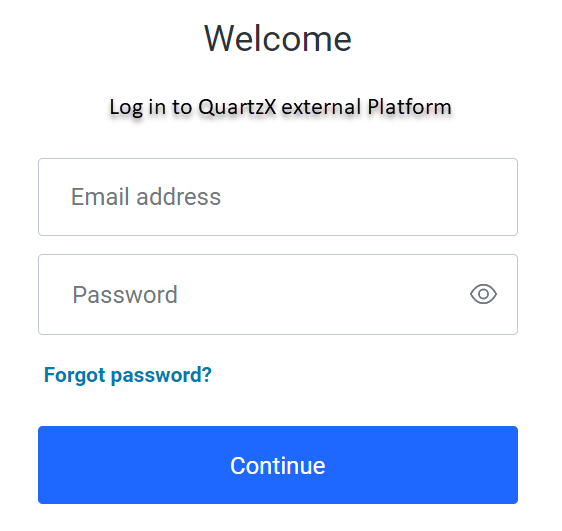
Add your email address and your password and click on 'continue'.
Login screen
Second authentication step
For the second authentication step, you can choose to receive a verification code by email or phone.
Second authentication with your phone
Select what you prefer between 'text message' and 'voice call' and click 'continue'. Then, enter the code and click 'continue' again. The external platform homepage will appear.
Second authentication with your email address
Click on 'try another method' and select the email option. Then enter the code you received on your mail and click 'continue'. The external platform homepage will appear.
Provide documents as a candidate
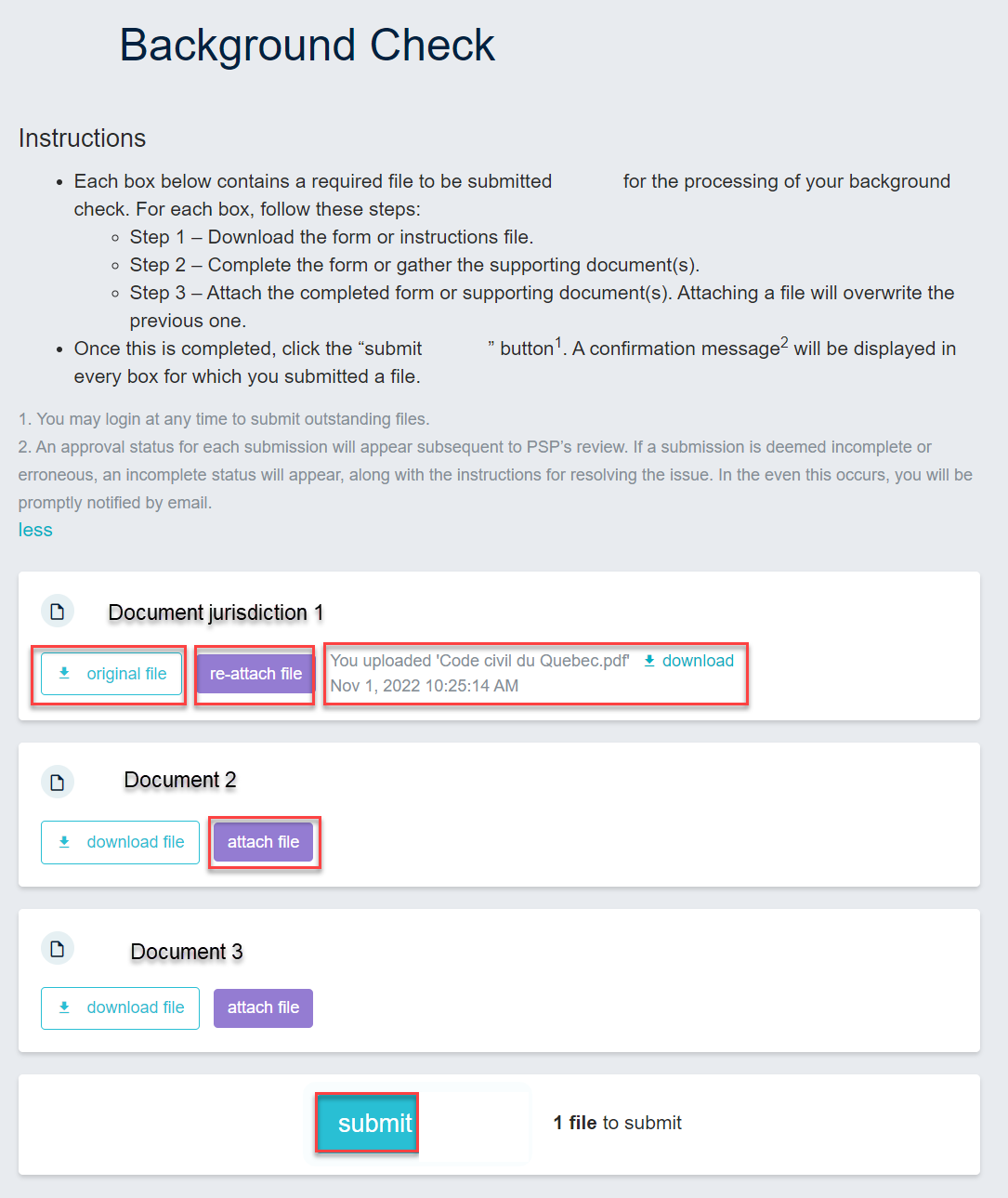
Once logged-in, you can access to your background check menu, read and follow instructions in order to upload your documents. In each field you can:
- Download the original file by clicking on the 'original file' button.
- Upload your document by clicking on the 'attach file' button.
- Update your uploaded document by clicking on the 're-attach file' button.
- Check the document you uploaded by clicking on the 'download' button on the right of your document.
- Click on 'submit' to submit your documents.
Candidate background check menu
A confirmation message will appear to informing you that your documents have been successfully submitted.
An example of a confirmation message
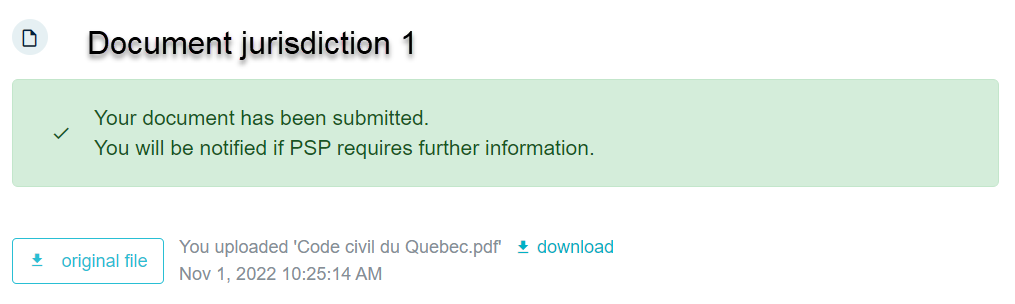
Your documents will be reviewed, it is possible that the organization will ask you additional information. In this case, you can restart the process to upload new documents.
Provide documents as an RDD provider
Once logged-in, you can access to your background check menu in order to upload:
- The statement of work.
- The preliminary background check.
- The background check.
- Additional documents if necessary.
Then click on the 'submit' button.
RDD provider background check menu
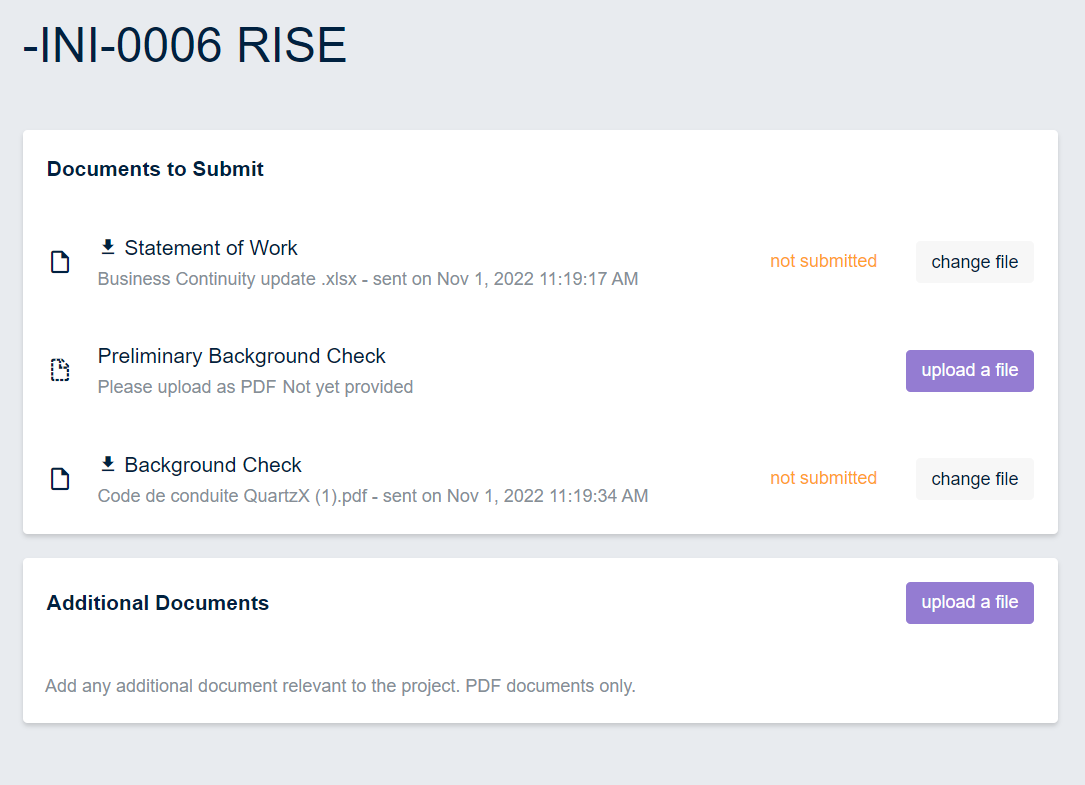
The statement of work will be reviewed by the organization that can reject or approve it. The statement of work status appear on the right of the document.
Read documents as an external lawyer
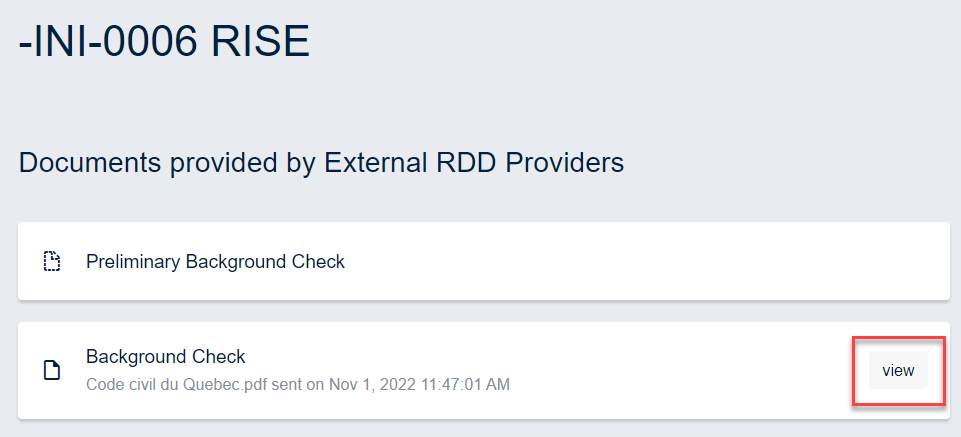
From your email address, click on the link to access to your background check menu. From this menu, you can read the preliminary background check and the background check by clicking on the 'view' button.
External lawyer background check menu