1. Derogation management
This module in QuartzGOV allows you to grant and monitor exeptional rights to an application. You can :
- Create and update derogations
- Associate derogation analyses and derogation action plans
Managing a derogation
Users with the 'Pilot-DerogationManagement' role can create, update and delete a derogation.
Creating a derogation
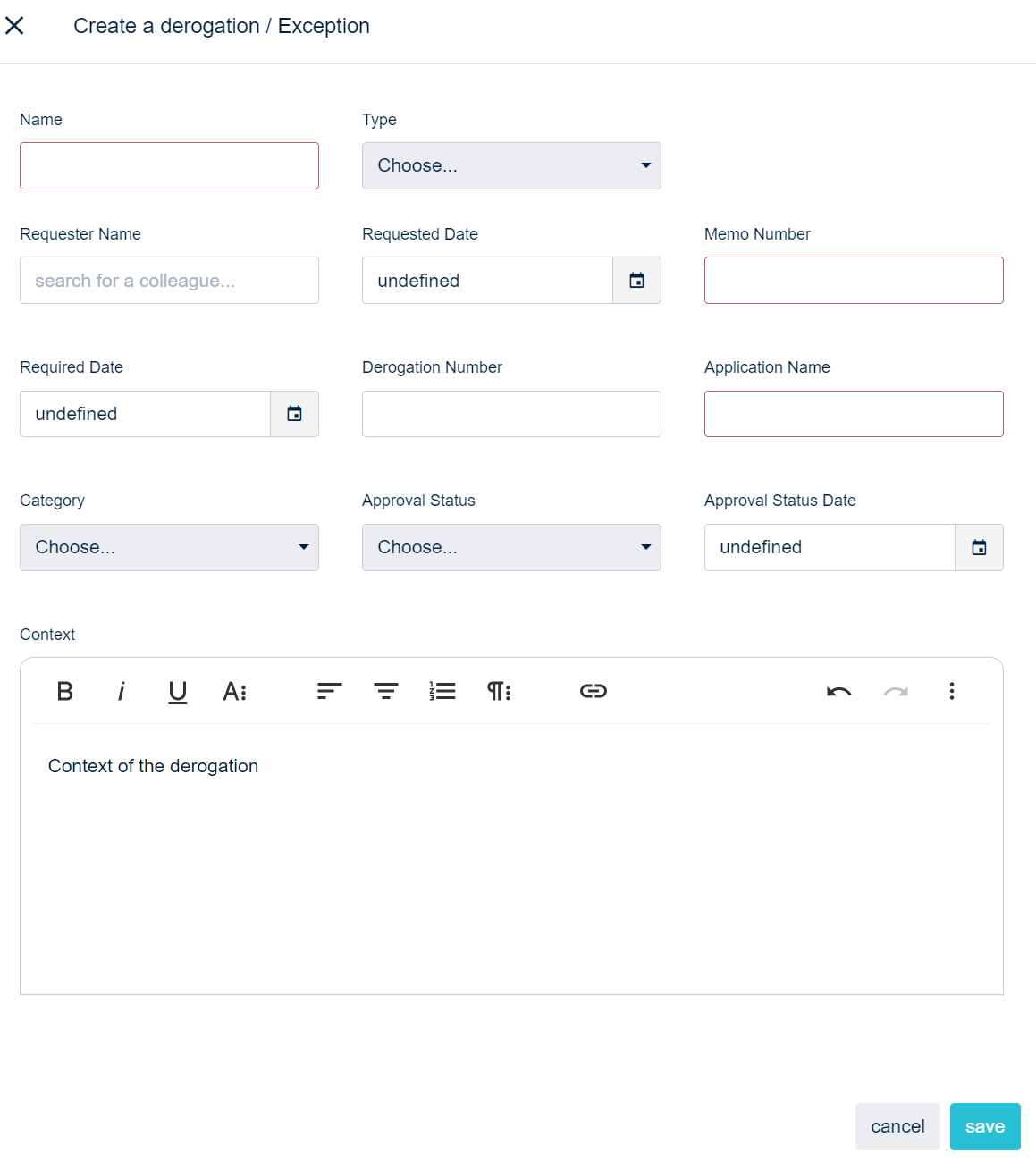
From the QuartzGOV homepage, click on the 'Derogation' button in the 'create' menu. A derogation creation screen will appear. From this screen, you can:
- Add the name of the derogation
- Choose the type of derogation from the 'type' drop-down list
- Select the requester name
- Choose a requested date
- Choose a memo number
- Select a required date
- Add a derogation number
- Choose the application for which you want to grant a derogation
- Select the derogation category from the 'category' drop-down list
- Select the derogation status with the 'approval status' drop-down list
- Define an approval status date
- Describe the derogation contexte
Derogation creation screen
Accessing the derogation list
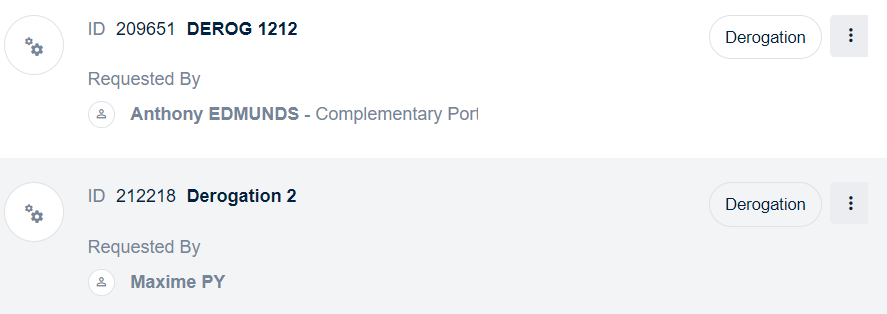
From the QuartzGOV homepage, click on the 'Derogation' button in the 'Derogation' module in order to display the derogation list. This list displays the main information about each derogation.
Extract of the derogation list
Editing a derogation
From the derogation list, click on the menu button of the derogation that you want to edit and click on the 'edit' button in order to display the derogation edit screen. From this screen, you can edit it and update the field that you want to modify.
Deleting a derogation
From a derogation detailed view, click on the delete button on the top right of the screen.
It is only possible to delete a derogation if no derogation analysis are linked to it.
Managing a derogation analysis
You can create, update and delete a derogation analysis.
Creating a derogation analysis
From the derogation main list, click on the menu of the derogation for which you want to create a derogation analysis, and click on the 'create derogation analysis' button. The derogation analysis main screen will appear and will allow you to:
- Choose a derogation analysis name;
- Select a derogation analysis advisor;
- Select a risk level in the 'risk level' drop-down list;
- Select approval level required from the 'approval level required' drop down list;
- Describe fields 'control not being met', 'risk analysis', 'existing mitigation control' and 'analysis';
- And, click on 'save'
Accessing the derogation analysis list
From the QuartzGOV homepage, click on the 'Derogation analysis' button inside the 'Derogation' module in order to display the derogation analysis list. This list displays the main information about each derogation analysis.
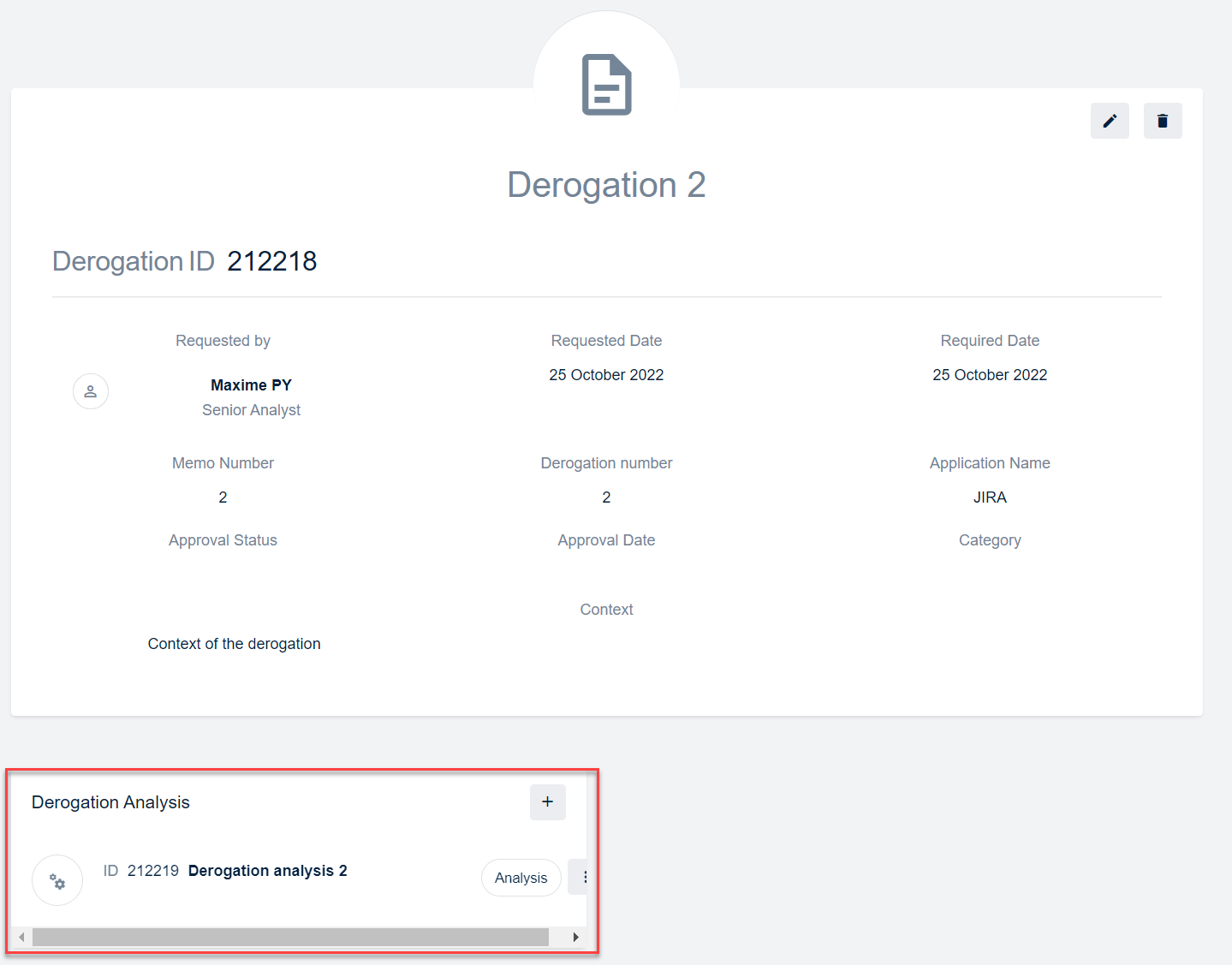
You can also access to a derogation analysis from the detailed view of the associate derogation.
List of derogation analysis linked to the derogation
Editing a derogation analysis
Click on the menu button of the derogation analysis that you want to edit and click on edit in order to display the derogation analysis edit screen. From this screen, you can modify the field you want to update.
Deleting a derogation analysis
From the derogation analysis detailed view, click on the 'delete' button.
Managing a derogation action plan
You can create, update and delete a derogation action plan
Creating a derogation action plan
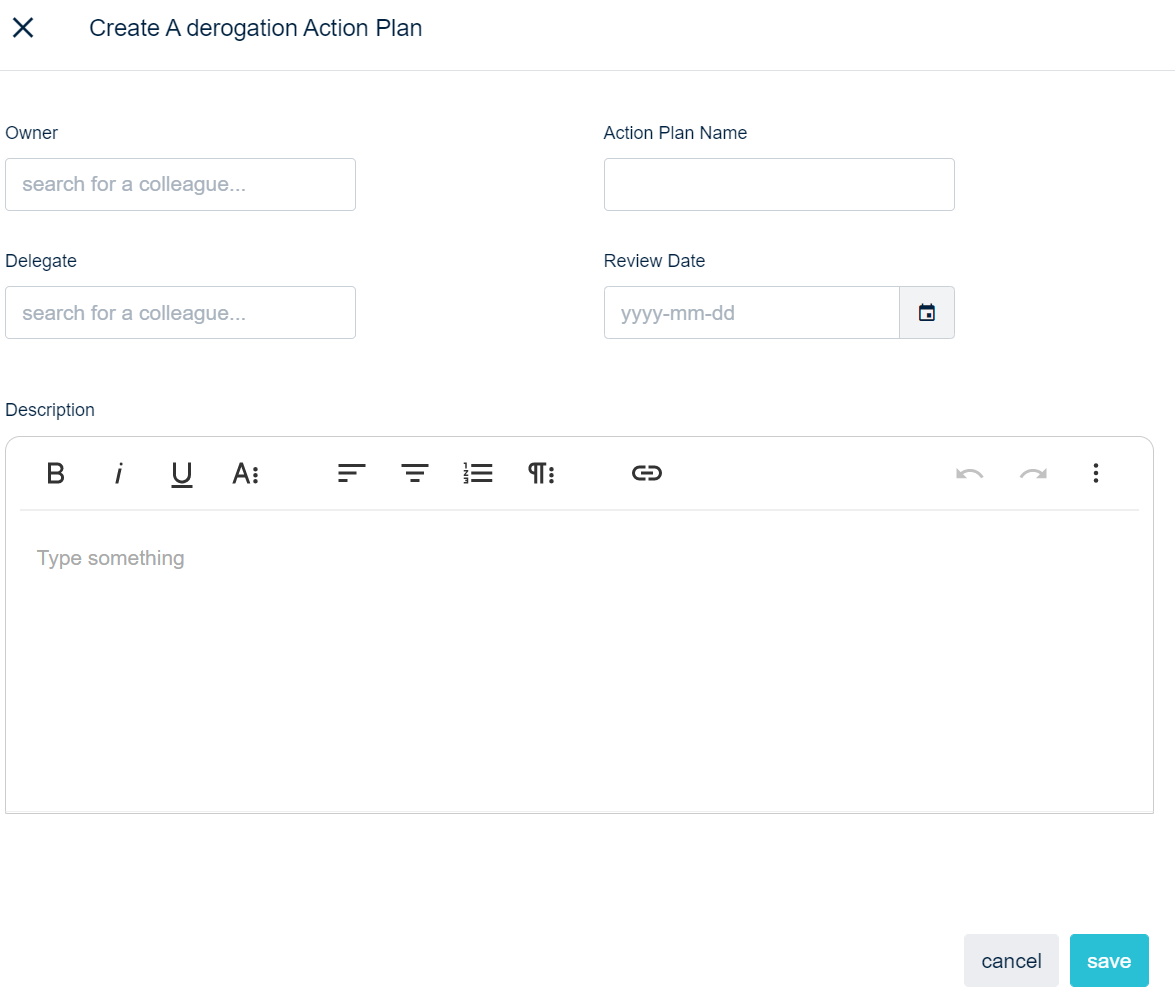
From the derogation analysis list, click on the menu of the derogation analysis that you want to associate a derogation action plan and click on the 'create derogation action plan' button. The derogation action plan creation screen will appear where you can:
- Add a derogation action plan owner and delegate;
- Add the name of the plan;
- Select a review date;
- and, add a description
Derogation action plan creation screen
Accessing a derogation action plan
From the QuartzGOV homepage, click on the 'Derogation action plan' button in the 'Derogation' module in order to display the derogation action plan list. This list displays the main information about each derogation action plan.
You can also access a derogation action plan from the detailed view of the associate derogation analysis.
Editing a derogation action plan
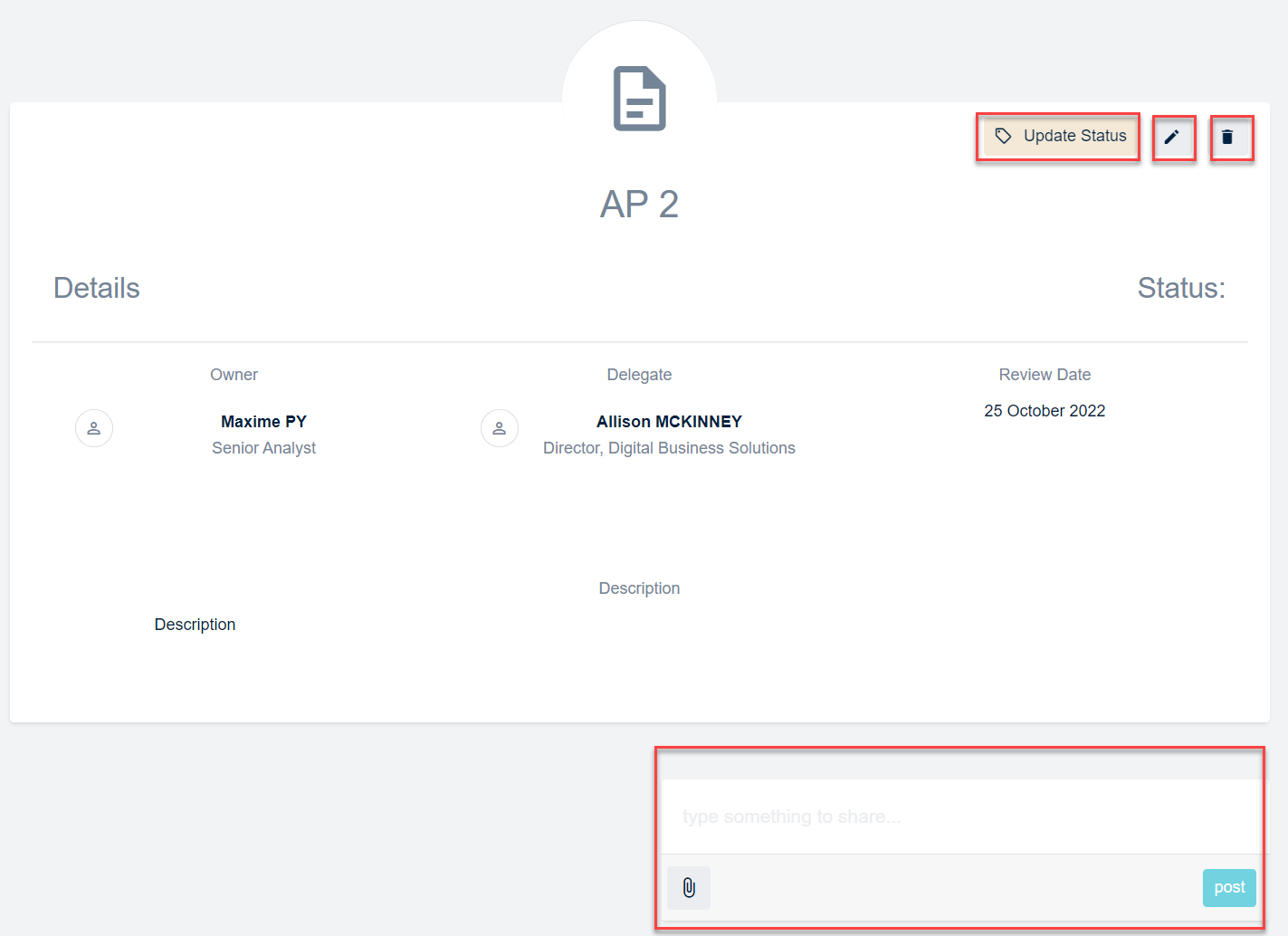
Click on the derogation action plan you want to edit in order to open the derogation action plan detailed view to:
- Click on the edit button to modify a derogation action plan main information;
- Click on the 'update status' button in order to update the derogation action plan status and add attachment if necessary;
- and, you can add comment and attachment if you need
Derogation action plan detailed view
Deleting a derogation action plan
Click on the action plan that you want to delete in order to open his detailed view and click on the 'delete' button.