1. Policies management
This module in QuartzGOV allows you to manage and read policies that define the governance principles of the organization.
Get the governance principles with policies
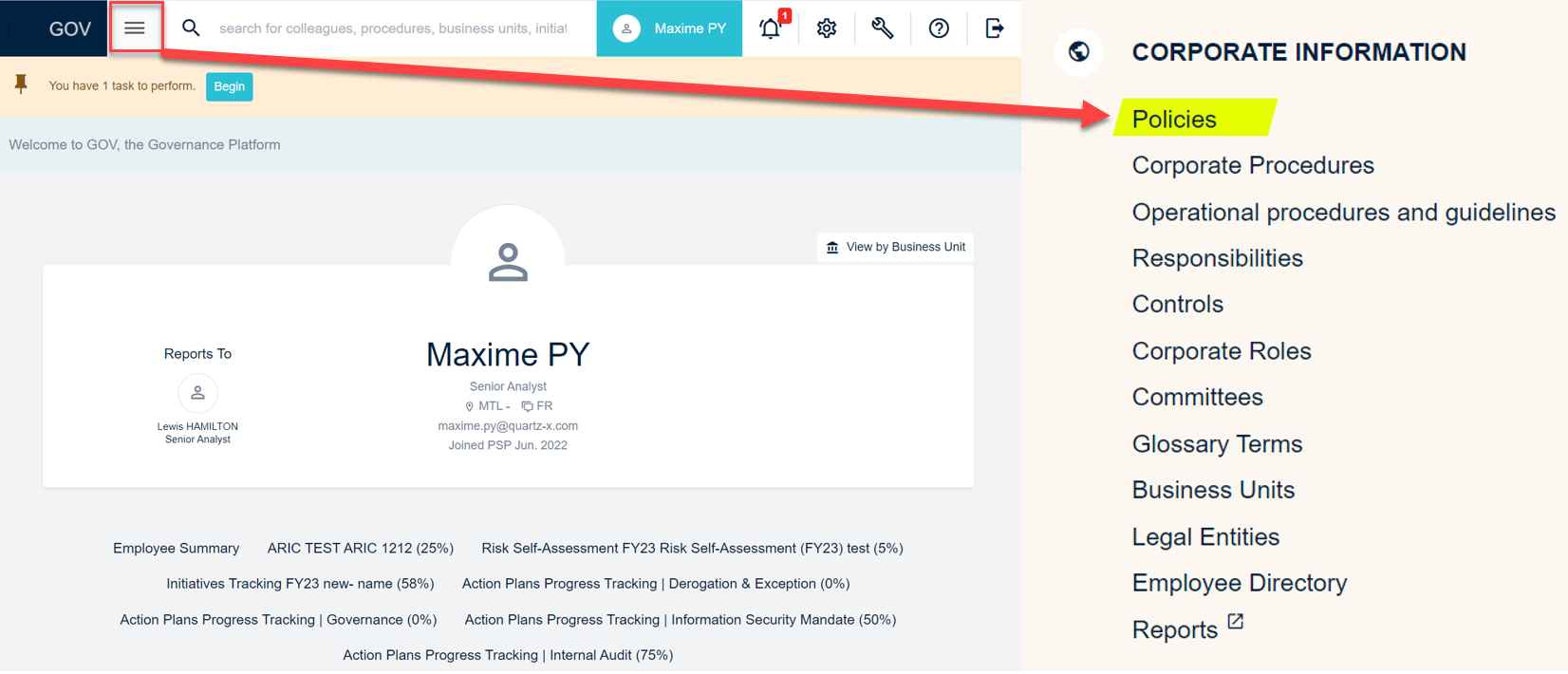
From the QuartzGOV homepage click on 'policies' in the corporate information module to display the list of all corporate policies.
Policies access from homepage
To read a policy, you can click on it and select the language you want to see it in (english or french). You can download the policy as a PDF, print it, or copy the link.
Manage policies
The following section explains how to create, update or delete a policy. These actions require the user to have the 'Pilot-PoliciesManagement' role.
Create a policy
If you want to create a policy, you will need to write it and save it as a PDF before going on QuartzGOV. You can upload the policy to QuartzGOV by clicking on the 'Policy' button in the 'Create' menu.
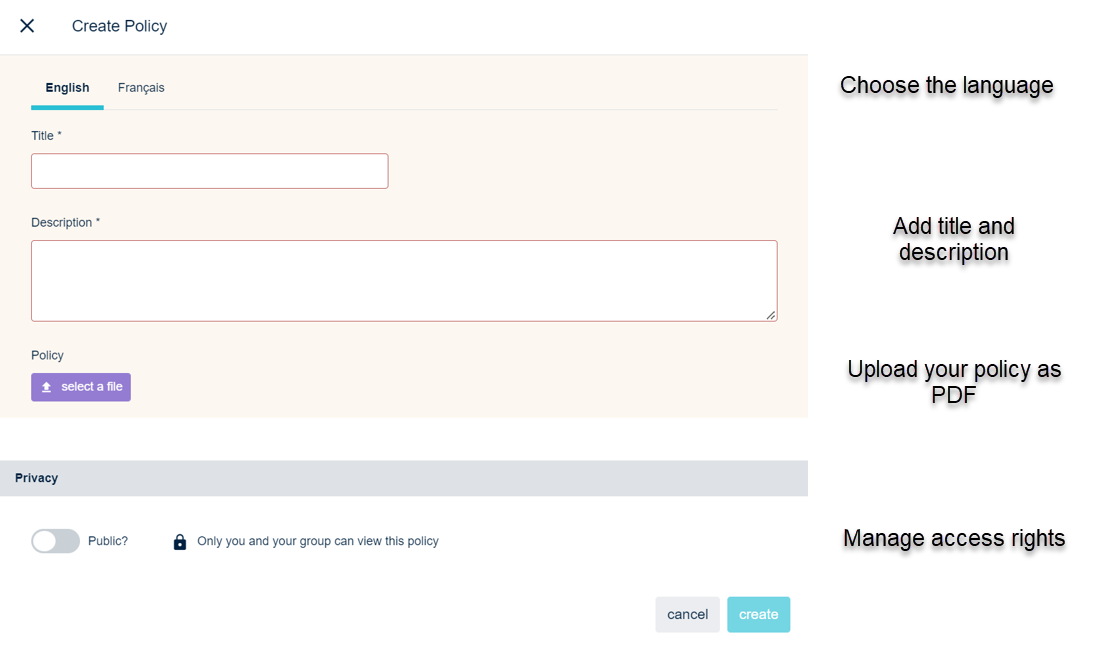
A create policy screen will appear. Choose the language you created the policy in and add a title and description. You can upload your policy as PDF. You can manage the policy access with the 'policy' button in the 'privacy' field. By default only you and your group can view the policy. You can pull the trigger if you want to make your policy public to everyone in your organization.
Policy creation screen
Update a policy
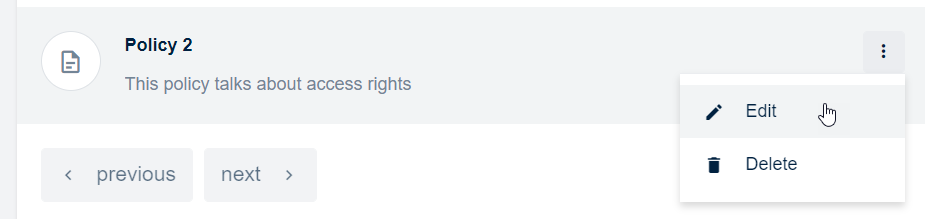
From the policies list you can update the settings of a policy by clicking on the 'edit' button.
Editing a policy
It is not possible to modify the content of a policy from QuartzGOV. You have to remove your PDF and upload a new one with your changes.
Delete a policy
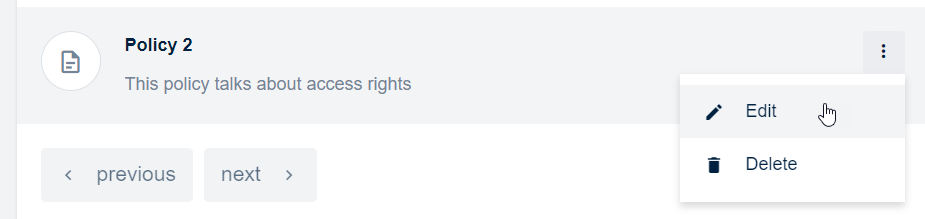
From the policies list you can delete a policy by clicking on the 'delete' button.
Delete a policy
A good practice is to keep an editable version of your policy in order to change the content without having to rewrite everything.